💳 24H TRIAL — $1
Full premium access for $1.
Can I Use IPTV on Multiple Devices at the Same Time? (2026 Guide)
TV, smartphone, tablet... Find out how many devices you can connect simultaneously to your IPTV subscription and how to set everything up easily.
Q4TV Expert
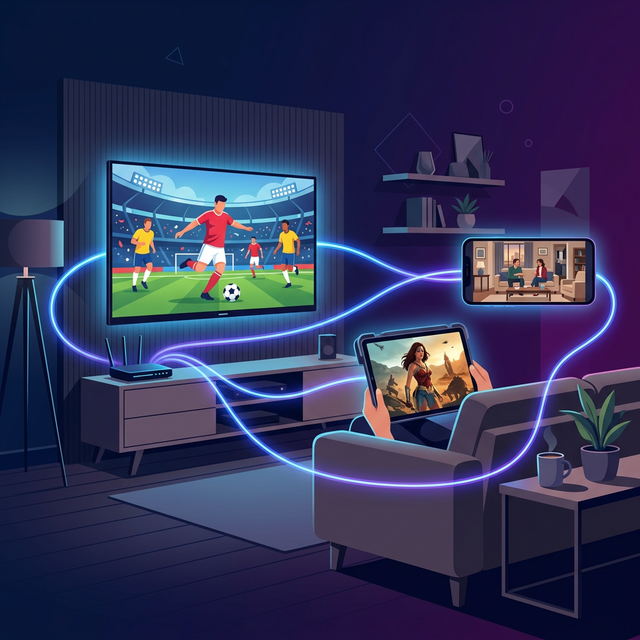
In short: yes, you can install your IPTV on all your devices — Smart TV, Firestick, smartphone, tablet, and computer — using the same credentials. However, each standard Q4TV subscription covers 1 screen at a time: you switch freely between devices, but only one stream is active simultaneously. For several screens at once, contact support.
This is the question everyone asks before subscribing: "Can I watch on my TV and my phone at the same time?" In 2026, with an average of 3 to 4 screens per household, it matters more than ever. New to the technology? Start with our guide to what IPTV is, then come back here to understand multi-device use.
How many devices can you connect?
Two ideas are often confused: the number of devices the app is installed on, and the number of streams active at the same time (the "connections" or "screens"). Here's how it works across the major services:
- "Low-cost" providers: usually limited to 1 connection. Start a stream on your phone and the TV cuts off automatically.
- Standard providers: 1 to 2 connections depending on the plan, often with an extra fee for the second screen.
- Q4TV Premium: install the app on an unlimited number of devices. Each standard subscription opens 1 screen at a time; switch freely from TV to mobile without reconfiguring anything.
"With Q4TV, I watch the Premier League on the living-room TV, then keep the match going on my tablet in the kitchen without reinstalling anything." — Mike, Toronto
Which devices does IPTV work on?
A quality premium service is compatible with virtually every screen in your home. Here are the devices Q4TV supports and the recommended app for each:
Television
- Samsung Smart TV (Tizen) — IBO Player Pro
- LG Smart TV (WebOS) — IBO Player Pro
- Android TV / Google TV — TiviMate, IPTV Smarters, or OTT Navigator
- Apple TV — IPTVX
Mobile and tablet
- iPhone / iPad — IPTV Smarters or GSE Smart IPTV
- Android — TiviMate, IPTV Smarters, or OTT Navigator
Boxes and sticks
- Amazon Firestick / Fire TV Cube — TiviMate (recommended). Follow our install IPTV on Firestick tutorial.
- Nvidia Shield — TiviMate
- Xiaomi Mi Box / TV Stick — TiviMate or IPTV Smarters
- MAG Box — direct portal configuration
Computer
- Windows / Mac — VLC Media Player or IPTV Smarters. To pick the best app per device, see our best IPTV app 2026 comparison.
How to set up multiple devices
Setup is simple and takes less than 5 minutes per device. Here's the process:
Step 1: Choose your plan
Each standard Q4TV subscription covers 1 screen at a time, but your credentials work on every installed device. See how to get IPTV in 5 minutes and receive access via instant activation.
Step 2: Install the right app
- Living-room TV → TiviMate (Firestick / Android TV) or IBO Player (Samsung / LG)
- Tablet / phone → IPTV Smarters from the Play Store or App Store
- Computer → IPTV Smarters for Windows / Mac
Step 3: Enter the same credentials everywhere
Use the same username, password, and portal URL from Q4TV on each device. Prefer Xtream Codes credentials over a plain M3U link: it's more stable and zapping is instant.
Step 4: Enjoy
Start a stream on the device of your choice. To switch screens, close the current app, then open the new one — the stream follows within seconds.
Common mistakes to avoid
- Exceeding the connection limit: starting a second stream while one is active disconnects the first. With a 1-screen plan, watch on one device at a time.
- Sharing with friends: your subscription is designed for a single household. Connections from very distant IP addresses may lead to suspension.
- Forgetting to close the app: if you stop watching on your phone, fully close the app, or the connection still counts as active.
- Ignoring buffering: an unstable stream isn't always the server's fault. See our guide on how to stop IPTV buffering.
Pro tip: need several screens at once?
For a large family or a shared apartment that wants two different streams simultaneously, contact our Telegram support: multi-screen options are coming back soon, and we'll suggest the best solution in the meantime.
Multi-device comparison across services
- Netflix Premium — 4 screens → ~$22.99/month
- Hulu (No Ads) — 2 screens → ~$17.99/month
- Disney+ — 4 screens → ~$13.99/month
- Q4TV Premium — 1 screen, unlimited devices → from ~$6.60/month ($79/year)
Even with one screen at a time, Q4TV stays 2 to 4 times cheaper while offering 79,000+ channels and 249,000+ VOD titles in 4K. For full plan details, see our premium subscriptions, or compare it with mainstream platforms in our IPTV vs Netflix & cable guide.
FAQ
Can I watch IPTV on the TV and phone at the same time?
You can install the app on both, but a standard Q4TV subscription opens 1 screen at a time. For two different streams simultaneously, ask our Telegram support about a multi-screen option.
How many devices can I install Q4TV on?
An unlimited number: Smart TVs, Firestick, Apple TV, Android boxes, phones, tablets, and computers. Only the number of streams active at the same time is limited by your plan.
How do I switch from one device to another?
Close the app on the current device, then open it on the new one with the same Xtream Codes credentials. The stream resumes within seconds, with no reconfiguration.
Is multi-device IPTV legal?
IPTV technology is legal; legality depends on the provider's content licensing. Using multiple devices within one household doesn't change that principle. See our is IPTV legal guide.
Conclusion
Yes, you can install IPTV on all your devices, anywhere in the house. With Q4TV, your credentials work everywhere and each standard subscription covers one screen at a time — the ideal solution to watch everything without breaking the bank. Ready to test it? Start with a 24h free trial or browse our plans.
Share This Article
Newsletter
New arrivals, events, style guides & special offers.
Recommended Articles

Best IPTV 2026: Complete Guide to Choosing Your Subscription
How to Install IPTV on Amazon Firestick in 2026 — Step-by-Step Guide
Streaming vs Cable: Why Millions of French People Are Switching in 2026