💳 24H TRIAL — $1
Full premium access for $1.
How to Install IPTV on Apple TV in 2026 (IPTVX Guide)
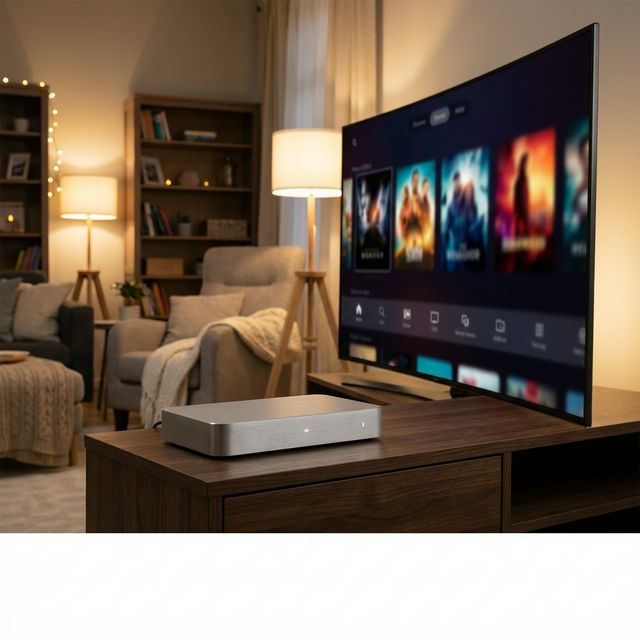
Apple TV is the most powerful box. Here is how to turn it into a streaming hub with the IPTVX app.
Q4TV Expert
In short: to install IPTV on Apple TV in 2026, download a Xtream Codes-compatible app like IPTVX from the App Store, open "Add Service", enter the server URL, username, and password from your subscription, then confirm. Setup takes about 3 minutes and works on Apple TV HD and 4K (tvOS 17+).
Why Apple TV is the best box for IPTV in 2026
The Apple TV 4K remains the most powerful and fluid streaming box on the market. With its A15 Bionic chip, hardware H.265/HEVC decoding, and Dolby Vision plus Dolby Atmos output, it handles 4K streams at 60 frames per second without a single stutter — a decisive advantage for live sports. New to this technology? Start with our guide on what IPTV is to understand how internet-based broadcasting works.
Unlike the Firestick or cheap Android boxes, the Apple TV does not freeze after a few hours of use and receives security updates for years. With a Q4TV subscription (79,000+ channels, 249,000+ movies and series in VOD), you turn this box into a genuine entertainment hub.
What you need before you start
- An Apple TV HD or 4K running tvOS 17 or higher (check under Settings > System > Software Updates).
- A stable internet connection of at least 25 Mbps for 4K. Use Ethernet via a USB-C adapter whenever possible.
- Your Xtream Codes credentials: server URL, username, and password, sent via Telegram after activation. Not a customer yet? Begin with a 24-hour free trial.
How to install IPTV on Apple TV: step-by-step guide
Step 1: Download an IPTV app (IPTVX)
Open the App Store on your Apple TV and search for IPTVX. It is the standard app in 2026, optimized for Apple processors, with a "Netflix-style" interface that displays cover art, summaries, and trailers. Solid alternatives include iPlayTV, GSE Smart IPTV, and Smarters Player Lite. To compare players, see our guide to the best IPTV apps (top 5).
Step 2: Open the Xtream Codes setup
Launch IPTVX, then go to "Add Service" and choose the Xtream Codes / Login with Xtream API method. This is the recommended mode: it automatically loads channel categories, the TV guide (EPG), and the VOD catalog, with no manual M3U file to manage.
Step 3: Enter your Q4TV credentials
Fill in the three fields with the information received via Telegram:
- Name: any label you like, for example "Q4TV".
- URL / Server: the server address provided (format http://your-server:port).
- Username and Password: exactly as shown, respecting capitalization.
Confirm, and the app syncs the 79,000+ channels and VOD catalog within seconds.
Step 4: Customize and enjoy
In IPTVX settings, enable the EPG (program guide), create your favorite lists (sports, movies, your local channels), and turn on autoplay. You get a beautiful interface with ultra-fast navigation. The whole operation takes about 3 minutes — close to the 5 minutes described in our how to get IPTV guide.
Apple TV vs Firestick: which should you choose?
Apple TV targets maximum quality and longevity; the Firestick targets a low price. The Apple TV 4K costs around $169 versus $40 for a Firestick 4K, but delivers noticeably better fluidity and stability, with no ads on the home screen. If your budget is tight, follow our install IPTV on Firestick tutorial instead. For the best big-screen picture and 4K sports, Apple TV is still king.
Fixing common problems
- Buffering: switch to Ethernet, close background apps, and only set 4K if your connection can sustain it. Our dedicated guide explains how to stop IPTV buffering.
- Credentials rejected: double-check the URL and password capitalization, and confirm your subscription is active.
- Frozen image: force-quit IPTVX (double-press the TV button) then relaunch it; this clears most freezes.
Need help? Q4TV support is available 24/7 via Telegram. You can also use the same subscription on several screens — see using IPTV on multiple devices.
"I plugged in my Apple TV 4K, installed IPTVX, and everything was ready in 3 minutes. The smoothness during matches is incredible." — Karim, Montreal
FAQ
Which IPTV app should I install on Apple TV in 2026?
IPTVX is the standard: a "Netflix-style" interface, native Xtream Codes support, and optimization for Apple chips. iPlayTV, GSE Smart IPTV, and Smarters Player Lite are good alternatives available on the App Store.
How do I set up IPTV on Apple TV?
Download IPTVX, open "Add Service", choose Xtream Codes, then enter the server URL, username, and password from your Q4TV subscription. Syncing takes seconds and the whole process takes about 3 minutes.
Is IPTV legal on Apple TV?
IPTV technology is perfectly legal; legality depends on the provider's content licensing. Choose a transparent service. See our IPTV legality guide.
Is the Apple TV 4K compatible with 4K streaming?
Yes. The Apple TV 4K decodes H.265/HEVC in hardware and supports Dolby Vision and Dolby Atmos. With a connection of at least 25 Mbps, ideally over Ethernet, you enjoy smooth 4K across the Q4TV catalog.
Conclusion
For those who want perfection, the Apple TV + Q4TV duo is unbeatable: 4K quality, stability, and a giant catalog in a 3-minute install. View the plans (from around $79/year, 15-day money-back guarantee) or start a 24-hour free trial right now.
Share This Article
Newsletter
New arrivals, events, style guides & special offers.
Recommended Articles

Best IPTV 2026: Complete Guide to Choosing Your Subscription
How to Install IPTV on Amazon Firestick in 2026 — Step-by-Step Guide

Streaming vs Cable: Why Millions of French People Are Switching in 2026